Most players find a server through a list, join once, and then forget the IP. A Discord is what brings them back. It is where they hear about the next reset, ask for help when something breaks and talk to the people they played with last night.
What a Discord actually does for a server
When your server is offline or empty, players have no reason to think about it. A Discord fixes that. People keep it open all day, so an announcement about an event or an update reaches them even when they are not playing.
It also takes pressure off in-game chat. Bug reports, ban appeals and suggestions all end up in one place where you can read them later, instead of scrolling past at 2 AM. And when new players see an active community before they even join, they are more likely to stay.
Most of the bigger servers you see on our server list link a Discord on their page. Players have come to expect it.
Keep the setup simple
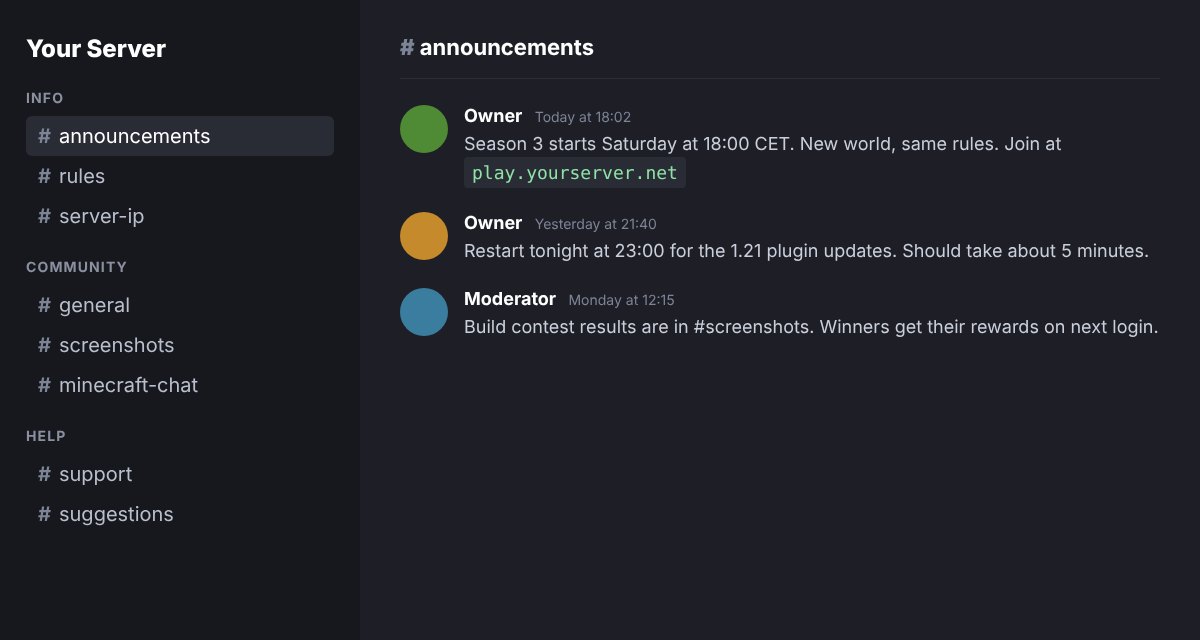
A new server does not need 40 channels. Empty channels make a Discord look dead. Start with a handful and add more when people ask for them:
#announcementsfor updates, restarts and events. Only staff can post here.#rulesso you can point to them when there is a problem.#server-ipwith the address, version and a short line on how to join.#generalfor everything else.#supportso questions do not get lost in general chat.
Set up a basic verification step and give your staff a role with the right permissions before you post the invite anywhere. It is easier than cleaning up after a raid.
For the invite itself, create one that never expires and has no use limit. Otherwise the link on your website or server list page will stop working after a week. Discord explains the options in their Invites 101 article.
Connect the game and the Discord
The best way to make the Discord feel like part of the server is to link the two. DiscordSRV is the plugin most Spigot and Paper servers use for this. It sends in-game chat to a Discord channel and back, posts join and leave messages, and can show when the server starts or stops.
That means players on Discord can talk to players in game, and staff can keep an eye on chat without logging in. DiscordSRV also supports account linking, so you can give a Discord role to players who have linked their Minecraft account.
If you run a reward system for voting, post the vote links in Discord too. Players who are not online can still vote, and you get more votes on the lists that rank by them.
Getting your first members
The first 20 members are the hardest. A few things that work:
- Put the invite everywhere your server is listed: your website, your server list pages and the description on your MinecraftServersList page, so players see it before they join.
- Mention it in the MOTD or in a join message. A short line like "Join our Discord: /discord" is enough.
- List the Discord itself. DiscordBase is a directory of Discord servers where people browse by category, so Minecraft players looking for a community can find yours there, not only through the game.
- Give a small in-game reward for linking accounts. A cosmetic or a few crates is fine. Do not lock gameplay behind it.
Keep it worth checking
A Discord that only gets a post when something breaks will go quiet fast. Post the small things too: a new build, a screenshot from last night, the winner of a contest. Answer questions in #support even when the answer is short. If you have staff, let them post as well so it does not all depend on you.
You do not need to be there all day. A couple of posts a week and fast answers to questions is enough for most small servers.
Start today
Make the server, set up five channels, add DiscordSRV and put the invite on your listing. Then get it in front of players. Our guide on how to advertise your Minecraft server covers the next step.