Hosting is the one thing on a Minecraft server you pay for every month, so it makes sense to look for a good price. The problem is that the cheapest plans often lag as soon as ten people are online. Here is what to look at so you do not pay too much or end up with a server nobody wants to play on.
RAM is not the whole story
Most hosts sell plans by RAM because it is easy to compare. But a Minecraft server runs most of its work on one main thread, which means the speed of a single CPU core matters more than how many gigabytes you have. A 4 GB plan on a fast modern CPU will often run better than an 8 GB plan on an old, crowded machine.
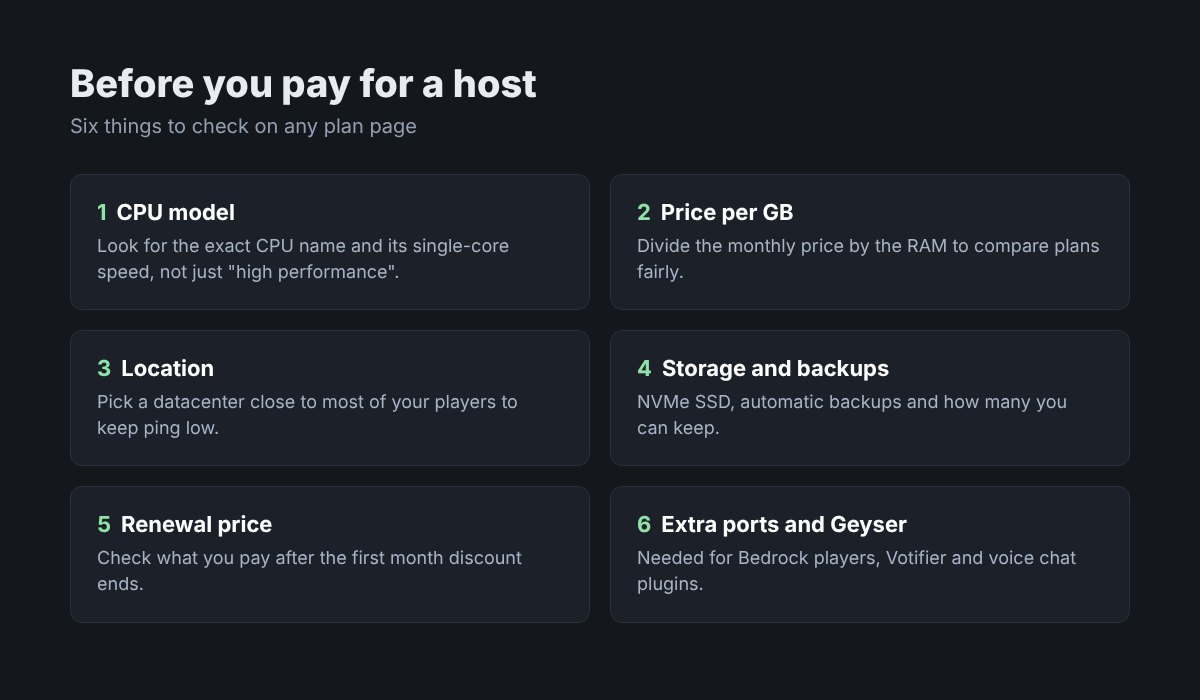
Look for hosts that name the exact CPU on the plan page. If a host only says "high performance hardware" and never tells you which, that is usually a reason to keep looking. You can search the CPU model to see how its single-core speed compares to others.
How much RAM you actually need
Buying too much RAM is the most common way people overpay. A small survival server with friends and a few plugins does fine on 3 to 4 GB. Modpacks need much more. Giving Java far more memory than the server uses does not make it faster.
The MCToolsHub RAM calculator gives you a starting point based on player count, plugins and server type. Start there, watch real usage for a week, and upgrade if you need to. Most hosts let you move up a plan without losing anything.
Compare price per GB, then the rest
To compare plans fairly, divide the monthly price by the RAM. A $12 plan with 6 GB is $2 per GB, and a $10 plan with 4 GB is $2.50. That gives you a quick way to sort the list. Then check what each one includes, because the cheaper one per GB is not always the better deal.
A few things to look for on the plan page:
- Renewal price. Many hosts show a discounted first month. Check what the second month costs.
- Storage. NVMe SSD makes chunk loading and backups much faster than older drives.
- Backups. Automatic backups should be included, and you should be able to download them.
- Extra ports. You need them for Geyser, Votifier, voice chat plugins and a web map.
- Player or slot limits. Some cheap plans cap players. Make sure that is not hidden in the small print.
Location matters more than people think
Ping depends on the distance between your players and the server. If most of your players are in Europe, a server in the US will feel slow for them no matter how good the hardware is. Pick a host with a datacenter close to where your community lives. If your players are spread out, pick the location in the middle.
Crossplay and Bedrock
If you want Bedrock players on phones and consoles to join, you will run Geyser. It needs a UDP port, which not every cheap plan gives you. GeyserMC keeps a list of hosting providers that support Geyser and notes any setup steps for each one. Check it before you sign up.
Test before you commit
Pay monthly at first, even if a yearly plan looks cheaper. Load the server with your real plugins, get a few friends on, and run spark to see how it holds up. Its viewer shows what is using CPU time, so you can tell whether lag comes from the host or from a plugin. If TPS drops with only a few players online and spark does not point at a plugin, the hardware is likely the problem.
Use Aikar's flags in your startup settings while testing. Many hosts let you set these in the panel, and they help with lag spikes from garbage collection.
Read reviews, but read the recent ones. A host that was great two years ago may have oversold its machines since then. Look for complaints about lag at peak hours and slow support replies.
Where to compare hosts
Going through every host's plan page by hand takes a while. MCHostingHub puts Minecraft hosting plans side by side so you can compare prices, RAM and locations in one place, then check the details on the host's own site before you buy.
Once your server is running, list it on MinecraftServersList so players can find it.